Gold setups at a calmer pace
Digger marks potential XAU/USD setups on the 15-minute and 1-hour charts. Fewer setups, more time to think. A good fit if your day is already full.
"Steady, patient digs"
Play a setup. Make the call.
Watch the market run until Digger raises an alert. Then do what you'd do for real: check the risk, check the setup, and decide.
A workday with Digger
How the alert, check, decide routine fits around a real day. Notice how often the answer is "not this one".
Before work: MT5 open on the laptop at the desk, Digger on H1, sound on. Check the calendar for high-impact news. Nothing in the morning.
Work. MT5 runs in the background. No chart-watching.
Lunch break. An alert has come up in MT5 since the last check. On an H1 chart, there is usually still time to look at it properly.
Stop distance checked: within the 1% rule. Price is near a level that's held before. It fits the plan. Trade taken, partial exits planned at TP1 and TP2.
After work. A second alert from the afternoon. News is due shortly. Skipped.
Journal updated. Laptop closed. No evening of chart-watching.
Who it suits
- Gold traders with a day job.
- Traders who find fast charts draining.
- Anyone working on patience and fewer, more considered trades.
Who it doesn't
- Traders who want lots of setups every session. Look at Miner.
- Synthetic-index traders. Look at Scout.
- Anyone looking for a robot. Digger never places trades.
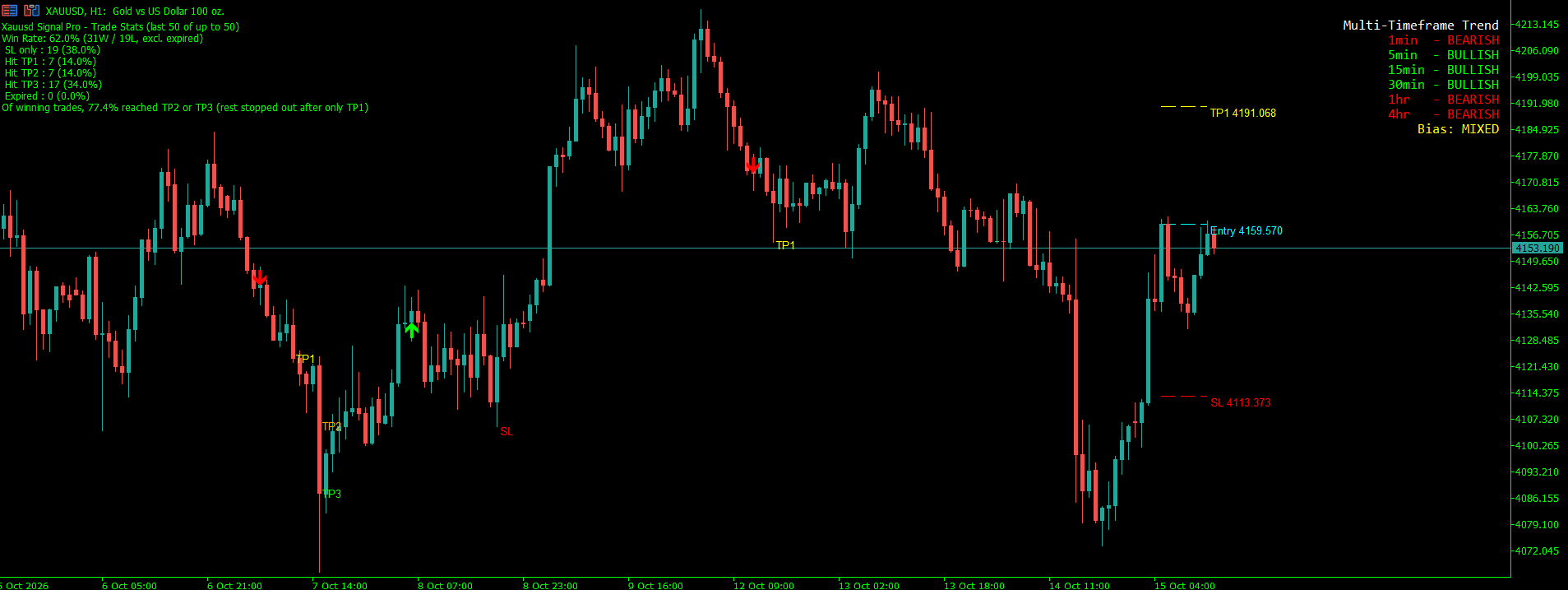
What you'll see on your screen
The player above is a simulation. This is Digger running in MetaTrader 5.
The Digger masterclass
Set Digger up properly, read what it shows honestly, and fit it around a full day. 6 short lessons, about 36 minutes, in your account as soon as your order is paid. It isn't sold on its own.
- Install Digger on Windows or Mac and paste your key code
- Set up alerts and chart tabs so Digger keeps scanning without getting in your way
- Read the stats panel for what it counts, and what it leaves out
- Turn TP1, TP2 and TP3 into R and plan partials before entry
Before you buy
Three things to have ready. Without them, the indicator can't be activated.
How you get Digger
From order to your first alert. Your indicator arrives by email within 12 hours of your payment reflecting.
- 01
Order
Check out with the MT5 account number you'll trade on. Only the number: we never ask for your MT5 password.
- 02
Pay by EFT
We show the bank details, your payment reference and the amount. Pay, then email us your proof of payment.
- 03
We build it
Once your payment reflects, we build the indicator for your MT5 account, with your licence period built in.
≤ 12 HOURS AFTER PAYMENT - 04
Delivered
It arrives by email with a step-by-step installation guide and our tips and tricks.
- 05
Install and trade
Add it to MT5 on your laptop or PC as the guide shows. It marks setups and raises an alert. You decide every trade.
- It only runs on the MT5 account number it's built for. Changing accounts? Email us and we'll move it for you.
- Send your proof of payment to manifestmarketsonline@gmail.com, with your order number as the subject.
- Allow up to 12 hours after your payment reflects. Instant payments usually reflect straight away; an ordinary EFT can take up to two working days.
- If your account number doesn't look right, we'll email you to check it. Replying quickly gets you set up sooner.
- We will never ask for your MT5 password. If anyone asks for it on our behalf, it isn't us.
Trading carries risk, and Digger doesn't remove it. Gold can move sharply, especially around news. It's a tool to support your own analysis, not a guarantee of profit, and two traders can take the same setup and get different results. Only trade with money you can afford to lose.
Read the risk disclosureQuestions about Digger
How is Digger different from Miner?
Is Digger good for people who work full-time?
Do I need to be at my computer?
Can I use Digger on M1 or M5?
Does Digger include the stats panel?
What does it cost?
The rest of the crew
Different markets, a different pace, the same way of working.